
Skip to content
Home Digital Certificates

For training partners and certificate holders

Digital Certificates

Give eligible learners a digital certificate employers can check online. Approved Training Partners request certificates through the SDC USA portal.

  • Approved Training Partners
  • Learners
  • Employers and other verifiers

What each audience can do

Training partners

Request certificates for eligible learners on approved courses and track the requests in the portal.

Learners

Use the digital certificate as evidence of training achievement and share the certificate number when verification is requested.

Employers and verifiers

Check the certificate number against the SDC USA record to confirm the course and certificate status.

Certificate preview

See an SDC USA digital certificate

The certificate identifies the learner, the program completed, the training partner and the certificate number. Employers and learners can check an issued certificate using that number.

Verify a certificate
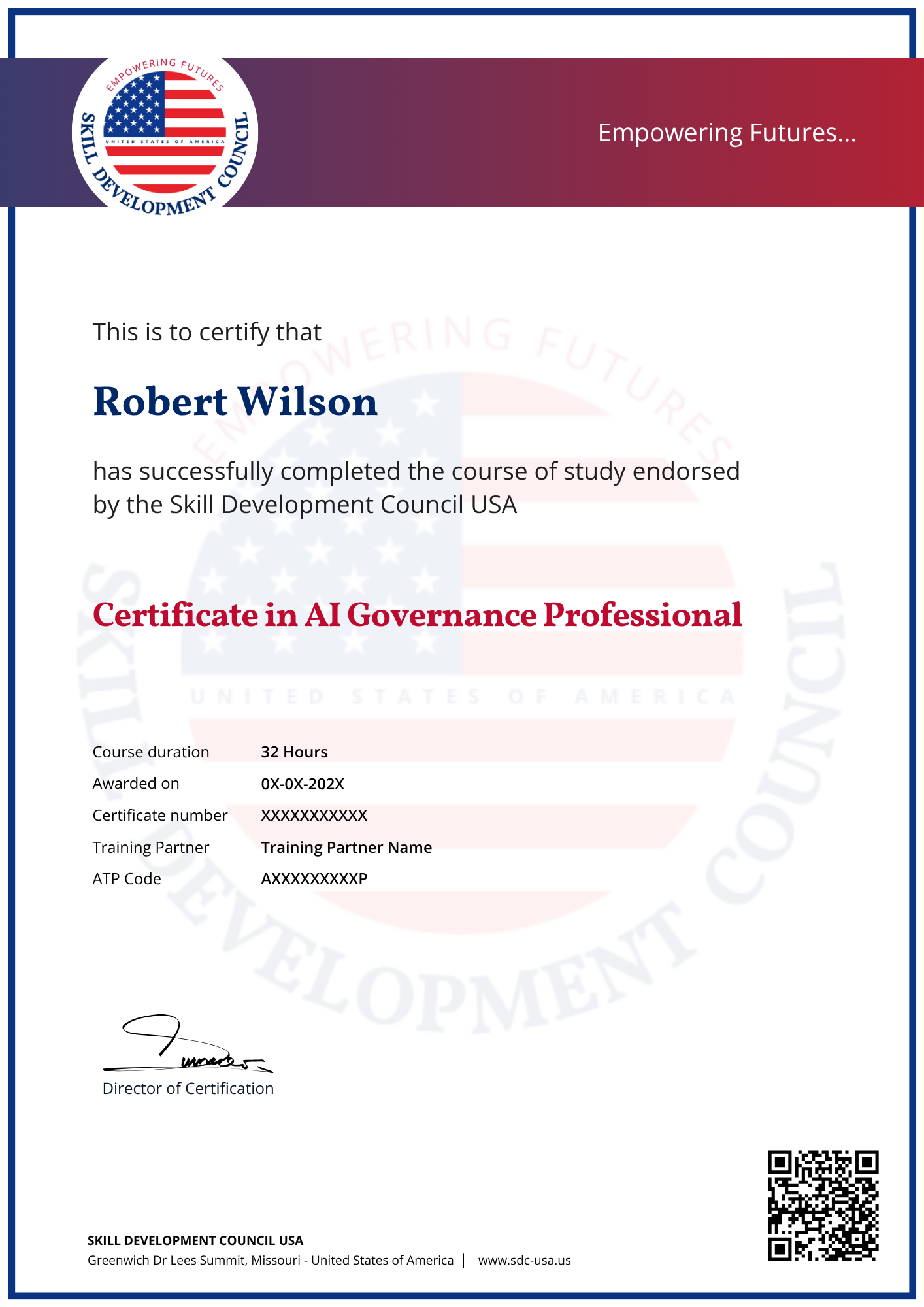

SDC USA certificate of completion preview with fictional details
Sample certificate of completion

What an online record can show

Course and learner details

Compare the learner’s name and course title with the certificate. Check the CPD hours and mode of study where shown.

Issuing training partner

Confirm the training partner and its ATP code against the record.

Certificate status and dates

Check the issue date, current status and any expiry date listed in the verification result.

How an eligible learner receives a certificate

1

Complete the training

The learner meets the applicable course completion and assessment requirements set by the training partner.

2

Partner submits a request

The ATP selects the approved course and submits the required learner and completion information.

3

SDC USA reviews the request

The partner can track the outcome and access the issued certificate in the portal after approval.

4

Verify the record

Use the certificate number to check the record online.

Example

An employer checks a certificate

The employer enters the certificate number in the verification page and compares the returned course and issue details with the document provided by the learner.

Frequently asked questions

Still have a question?

The Approved Training Partner submits the request in the ATP portal for an eligible learner.

Check the details on your certificate and the verification record. Ask the issuing training partner about any renewal requirements.

Check the number for typing errors. If the issue persists, contact your issuing partner or SDC USA.

Interested in certificates for your training programs?

Ask how your organization can request certificates through the Approved Training Partner program.